

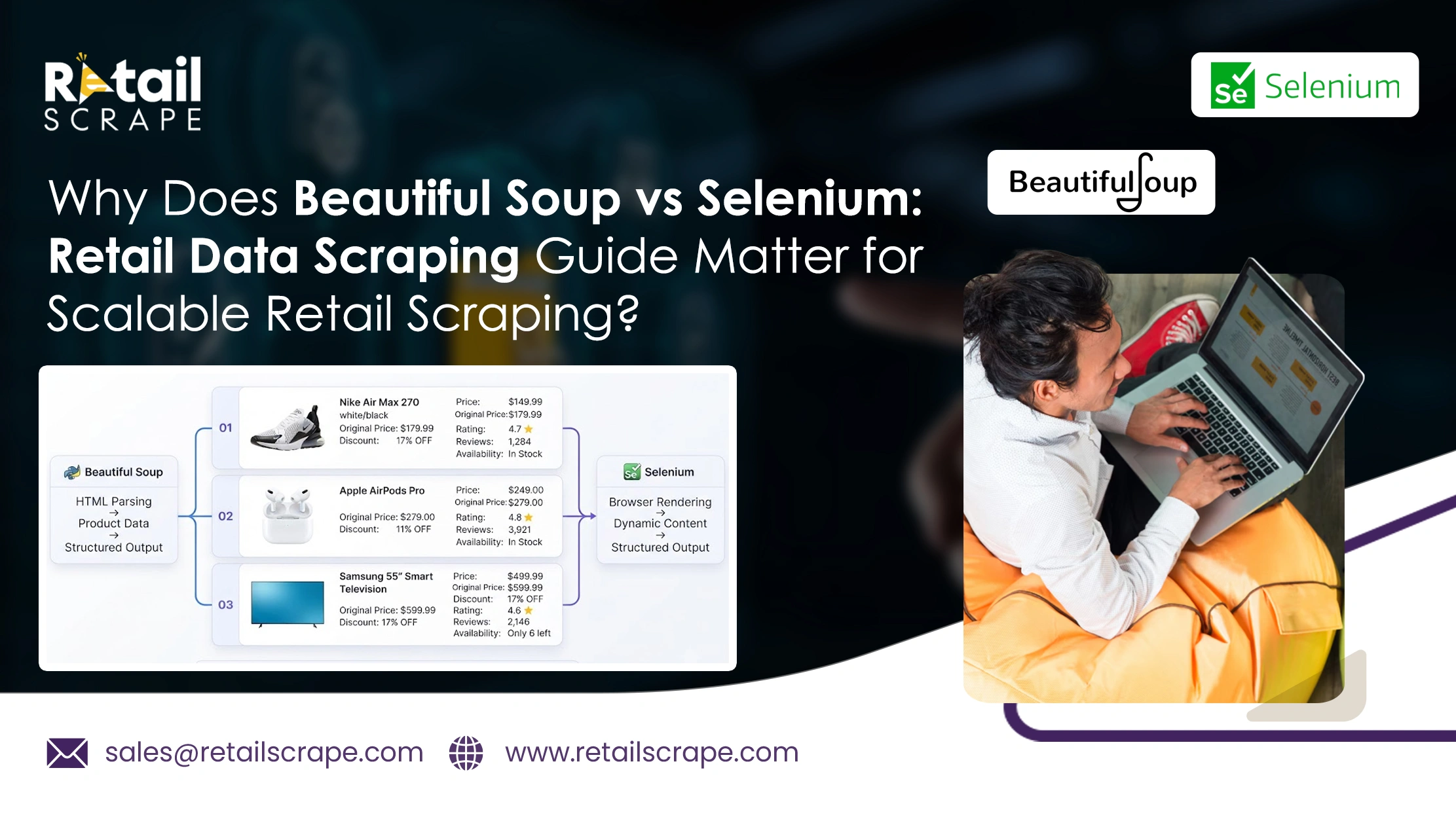
Why Does Beautiful Soup vs Selenium: Retail Data Scraping Guide Matter for Scalable Retail Scraping?
Introduction
Retail businesses increasingly depend on structured product information to understand competitors, monitor pricing, and improve assortment decisions. Choosing the right extraction approach directly affects data quality, collection speed, and maintenance requirements. Beautiful Soup vs Selenium for Web Scraping provides a practical foundation for selecting tools according to website structure and business requirements.
Static retail pages can often be processed efficiently with lightweight HTML parsing, while interactive stores may require browser automation. The Beautiful Soup vs Selenium: Retail Data Scraping Guide explains how these approaches differ when collecting product names, prices, availability, specifications, ratings, and promotional information.
Scalable projects also require consideration of execution time, browser resources, JavaScript rendering, and changing page structures. Understanding these differences helps retailers build dependable workflows without unnecessarily increasing infrastructure costs. The right approach ultimately depends on whether the target website serves information directly within HTML or generates important content dynamically.
Strategic Insights Into Faster Data Extraction Across Diverse Retail Websites
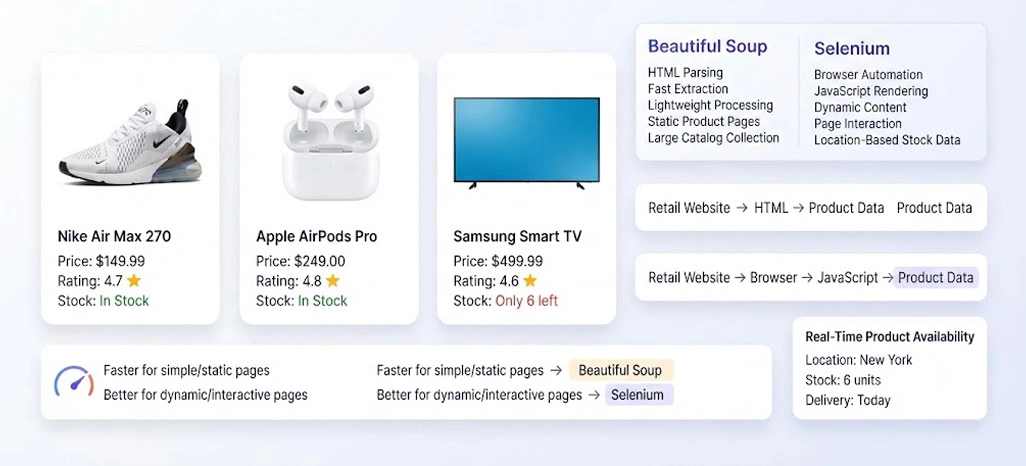
Retail scraping efficiency depends greatly on website structure, page complexity, data volume, and the number of URLs processed during each collection cycle. Lightweight HTML parsing generally requires fewer computing resources because it can analyze downloaded page content without opening a browser. This makes it suitable for large catalogs containing predictable product structures and straightforward information.
When retailers compare approaches through a Beautiful Soup vs Selenium Scraping Speed Comparison, processing efficiency becomes an important consideration for recurring collection jobs. Browser automation can require additional time because pages must load, scripts execute, elements become available, and interactions may need to occur before the required information is collected.
Businesses also need to consider whether inventory information changes frequently across locations or product variants. For example, Real-Time Product Availability may require additional page interaction when stock information is generated after loading or depends on selected delivery locations. A balanced workflow therefore evaluates page behavior, collection frequency, required fields, and infrastructure requirements before selecting an extraction method.
| Key Considerations | Description |
|---|---|
| Evaluate page structure | Before selecting an extraction method |
| Match processing capacity | With the expected URL volume |
| Consider how frequently | Retail information needs updating |
| Review whether important information | Appears immediately |
| Account for infrastructure | During large-scale collection |
For retail monitoring workflows, faster processing can support more frequent data refreshes and reduce infrastructure pressure. A lightweight approach can be particularly useful for catalog pages where product names, descriptions, prices, and specifications are already present within the delivered HTML. However, speed should not be considered separately from completeness because faster extraction is less useful when important information remains inaccessible.
| Evaluation Area | Lightweight Parser | Browser Automation |
|---|---|---|
| Static pages | Excellent | Suitable |
| Processing overhead | Low | High |
| Browser requirement | Not required | Required |
| Interactive elements | Limited | Strong |
| Large URL volumes | Highly suitable | Resource intensive |
| Setup complexity | Lower | Higher |
Critical Considerations For Selecting Methods Across Complex Ecommerce Storefronts
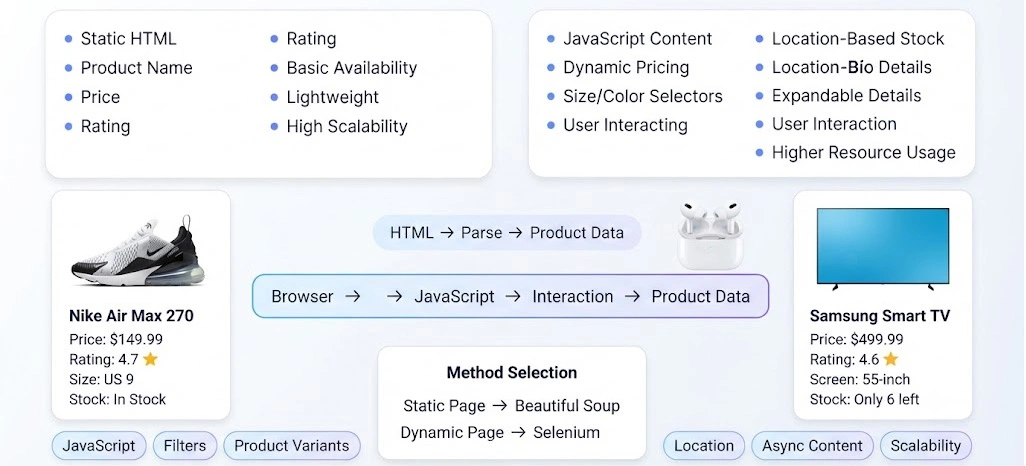
E-commerce websites frequently rely on JavaScript frameworks, asynchronous requests, interactive filters, location settings, product selectors, and expandable content. These features can make retail extraction more complicated because the initial HTML response may not contain every field required for a complete product record. Selecting a suitable method therefore requires understanding how each website presents its information.
Web Scraping With Beautiful Soup vs Selenium becomes especially useful when businesses evaluate static and interactive pages separately. A lightweight parser can efficiently process information already included in HTML, while browser automation can reproduce user actions needed to reveal additional content. This distinction helps prevent businesses from using a resource-heavy approach for pages that do not require browser interaction.
A structured Beautiful Soup vs Selenium Comparison should consider factors beyond processing speed, including JavaScript execution, page interaction, scalability, memory usage, and extraction accuracy. Retailers dealing with large product catalogs may benefit from assigning simpler pages to lightweight processing while reserving browser automation for sources containing interactive or dynamically rendered information.
| Key Considerations | Description |
|---|---|
| Identify whether product information | Is available in initial HTML |
| Test interactive elements | Before designing the workflow |
| Separate simple pages | From complex sources |
| Monitor resource consumption | During large collections |
| Validate extracted fields | Against visible website information |
This approach is particularly valuable for Beautiful Soup vs Selenium for E-Commerce Data Scraping, where product variants, promotional details, location-specific pricing, and additional specifications may appear only after user actions. Separating sources according to their technical behavior can improve operational efficiency while reducing unnecessary browser sessions and processing costs.
| Retail Requirement | Parser-Based Approach | Browser-Based Approach |
|---|---|---|
| Product titles | Strong | Strong |
| Static descriptions | Strong | Strong |
| Interactive filters | Limited | Strong |
| Variant selection | Limited | Strong |
| JavaScript content | Limited | Strong |
| Location interactions | Limited | Strong |
Advanced Approaches To Managing Dynamic Retail Pages With Greater Accuracy
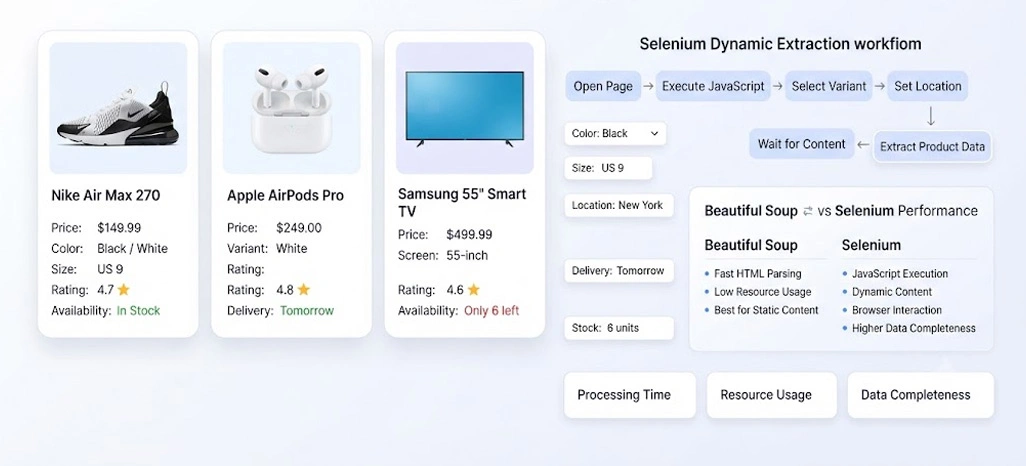
Dynamic retail websites frequently modify displayed information according to user actions, selected variants, delivery locations, sessions, or asynchronous requests. A page may initially display only basic information and then populate additional fields after scripts execute. This makes dynamic content handling an important consideration for retailers collecting complete product records at scale.
For these environments, How to Scrape Dynamic Websites With Selenium provides a useful framework for understanding browser-based collection. Selenium can open pages, interact with controls, trigger events, wait for elements, and access information that becomes available after JavaScript execution. These capabilities make it suitable for websites where standard requests cannot expose the complete dataset.
Retail teams can also assess Beautiful Soup vs Selenium Scraping Performance by measuring processing time, successful page completion, resource consumption, and data completeness rather than relying on speed alone. For product-focused projects, Beautiful Soup vs Selenium for Product Data Scraping can help determine whether a source requires browser interaction or whether extracted HTML can be processed more efficiently after retrieval.
| Key Considerations | Description |
|---|---|
| Identify content | That appears only after interaction |
| Allow sufficient time | For dynamic elements to load |
| Validate records | Before storing them |
| Monitor failed pages | And incomplete fields |
| Optimize browser sessions | For repeated collection tasks |
However, browser automation also introduces additional resource requirements. Each browser session consumes processing power and memory, while poorly synchronized workflows can capture incomplete information before elements finish loading. A practical Beautiful Soup vs Selenium for Dynamic Websites strategy should therefore include appropriate waiting mechanisms, error handling, session management, and validation routines.
| Dynamic Requirement | Basic Parsing | Browser Automation |
|---|---|---|
| JavaScript execution | Limited | Strong |
| Page interaction | Limited | Strong |
| Dynamic elements | Limited | Strong |
| Resource consumption | Lower | Higher |
| Error handling | Simpler | More involved |
| Interactive workflows | Limited | Strong |
How Retail Scrape Can Help You?
We can support structured data collection across product catalogs, competitor stores, pricing pages, and other retail sources. The Beautiful Soup vs Selenium: Retail Data Scraping Guide approach can be incorporated into a broader extraction strategy based on website architecture, data volume, and update frequency.
- Collecting product information from multiple retail websites
- Monitoring competitor pricing and promotional changes
- Structuring product attributes into consistent datasets
- Tracking stock and availability changes across locations
- Supporting market research and assortment analysis
- Delivering organized data for business intelligence workflows
A flexible setup can determine whether Selenium or Beautiful Soup for Automated Web Scraping is more suitable for a specific source, while combining both where required.
We can also support broader requirements such as Android App Scraping, helping businesses collect retail information from different digital channels through structured and scalable workflows.
Conclusion
Choosing between browser automation and HTML parsing depends on the structure, behavior, and scale of the target retail websites. Beautiful Soup vs Selenium: Retail Data Scraping Guide helps businesses understand when lightweight parsing is sufficient and when browser-based interaction is necessary for complete data collection.
A carefully designed workflow can improve extraction reliability while controlling processing resources and maintenance requirements. Businesses handling complex catalogs can evaluate Beautiful Soup vs Selenium for Product Data Scraping according to page behavior, required fields, and update frequency. Contact Retail Scrape today and discuss your data requirements with our team.